Entièrement réécrit.
Tacview 2 est la nouvelle génération de Tacview, entièrement réécrite. Il peut lire des enregistrements plus volumineux, avec plus de détails, tout en étant plus fluide que Tacview 1. Les addons sont désormais au cœur de l’application : la plupart des outils de Tacview 2 sont des addons, que vous pouvez modifier, étendre ou créer vous-même.
Tacview 2 est actuellement en phase alpha privée, utilisée pour tester la compatibilité et recueillir des retours auprès d’un petit groupe d’utilisateurs. L’interface principale est fonctionnelle, les performances de rendu sont déjà solides, et le moteur de terrain est environ à 80 % terminé. L’objectif actuel est de rendre l’outil utilisable pour le débriefing sur DCS World comme banc d’essai, avant d’étendre les mêmes améliorations aux autres simulateurs et à la télémétrie en temps réel.
First Changes You Will Notice
Multiple Views and Viewports
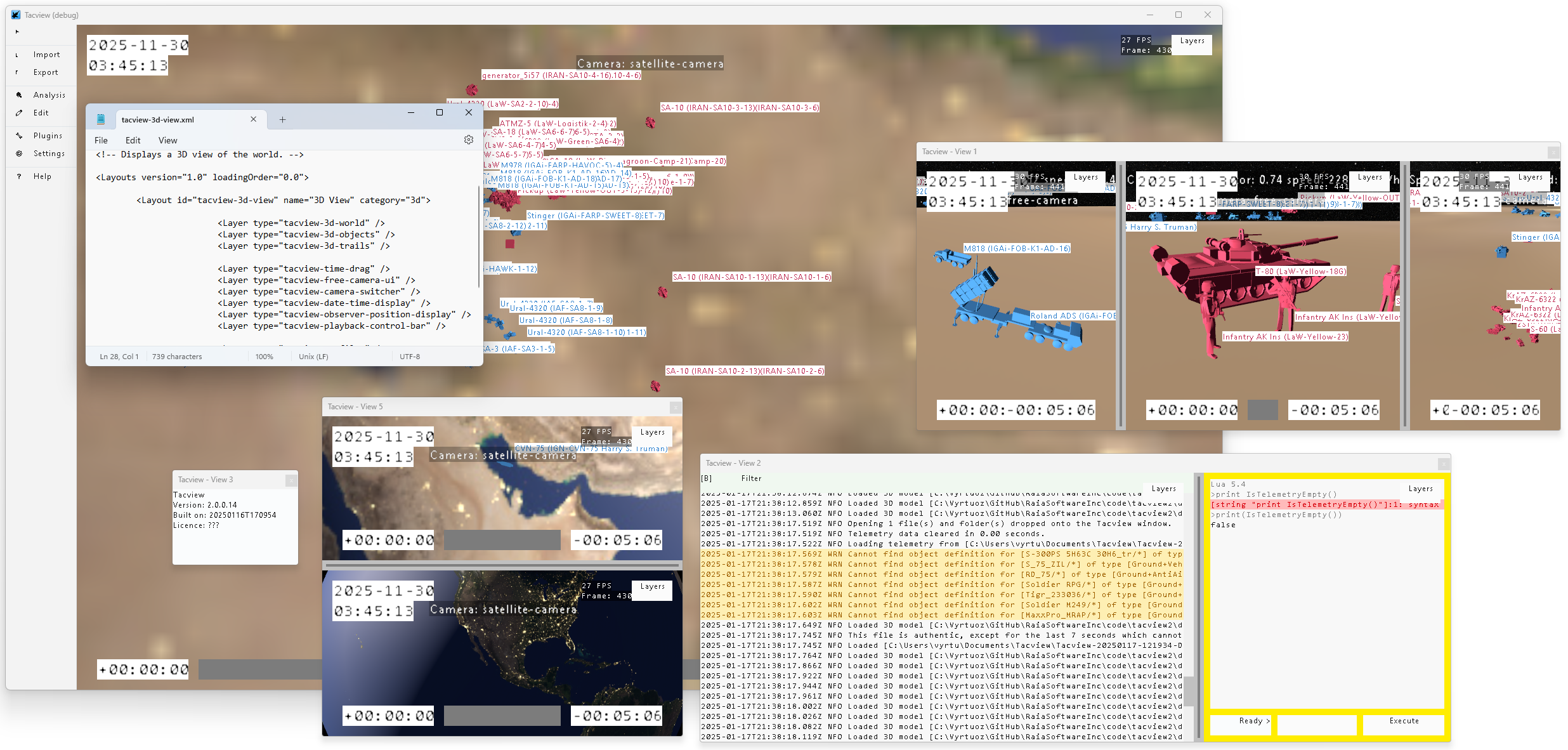
Tacview 1 was limited to a single 3D view. Tacview 2 removes this limitation entirely.
You can open as many views and viewports as your system can handle, arrange them across multiple monitors, or display them full screen. Each viewport can display different data, perspectives, or parts of the battlefield at the same time.
You can also create your own layouts and layers using simple configuration files, then keep them for yourself or share them with others as addons through platforms such as the Steam Workshop.
Making Navigation Intuitive
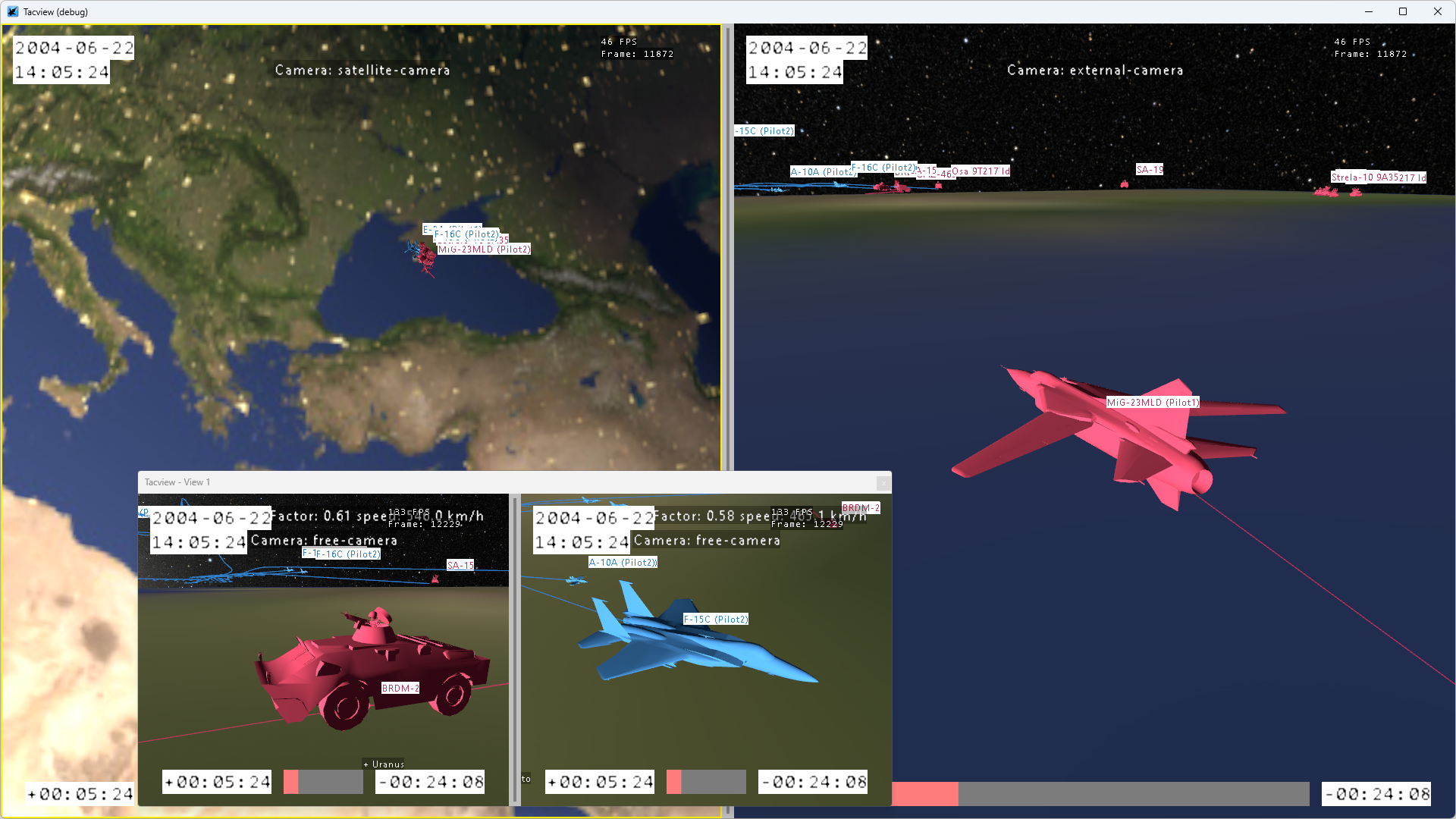
Years of updates gradually made the old menu harder to navigate. In Tacview 2, tools are grouped into clear categories so you can quickly find what you need.
The menu is now a collapsible vertical bar that can be expanded when needed or reduced to a compact row of icons, giving more room to focus on the battlefield. A dark mode will also be available.
For addon developers, the SDK provides full control over the main menu. You can add, remove, or reorganize menu entries to better match your workflow.
Addons, customization, and sharing
Built Around Addons
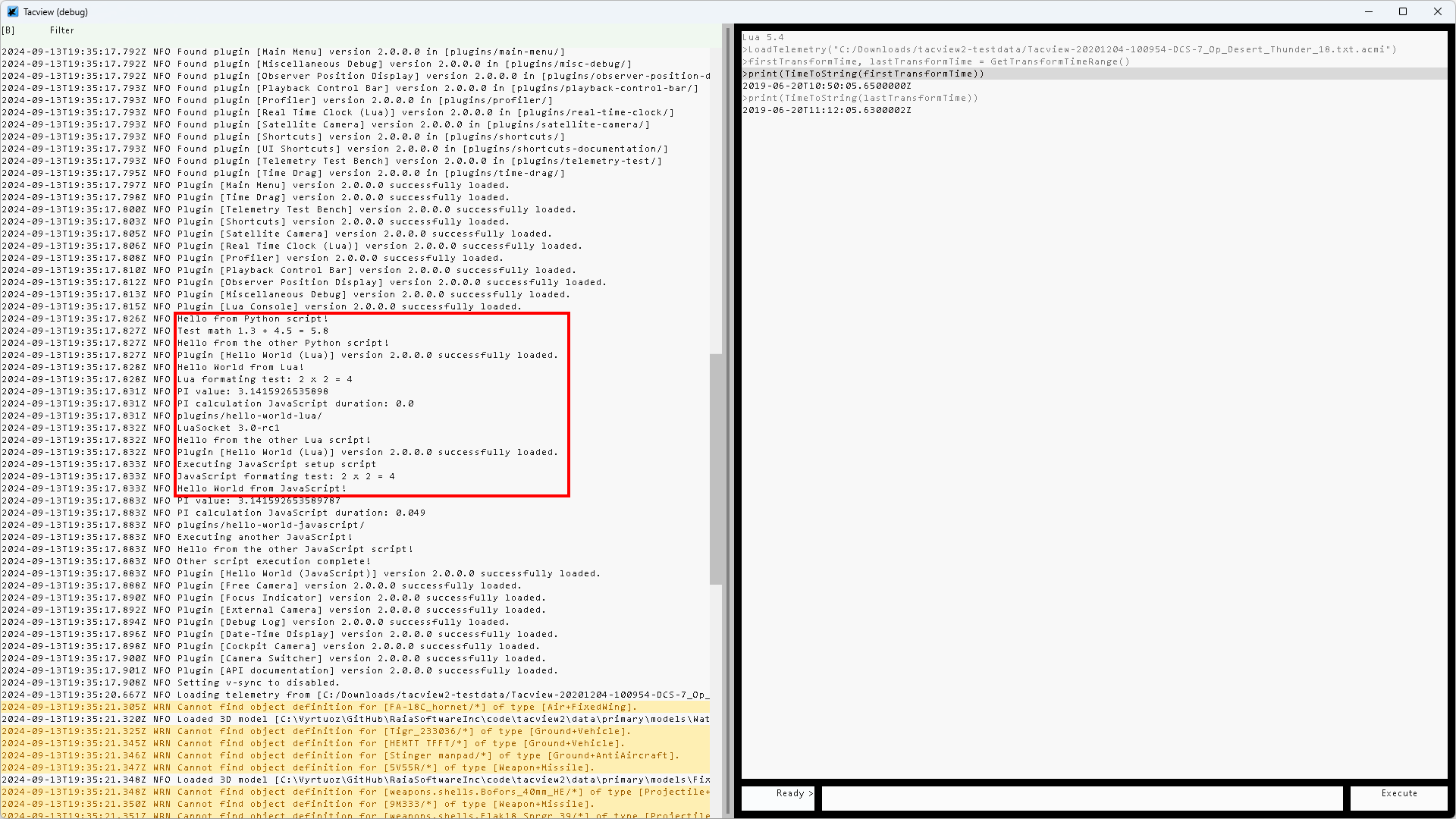
Tacview 2 is designed as a modular application where most tools are built as addons. Almost every part of the interface can be modified, replaced, or extended.
You can tweak configuration files, create custom layouts, replace visual assets, or develop entirely new tools in your favorite programming language. Addons can then be shared online through platforms such as the Steam Workshop.
Whether you are a programmer, an artist, or simply someone who likes to customize software, Tacview 2 is built to adapt to your workflow instead of forcing you into a fixed interface.
The SDK and documentation are fully integrated into the application, making it easier to explore, learn, and develop your own tools.
Unit Customization
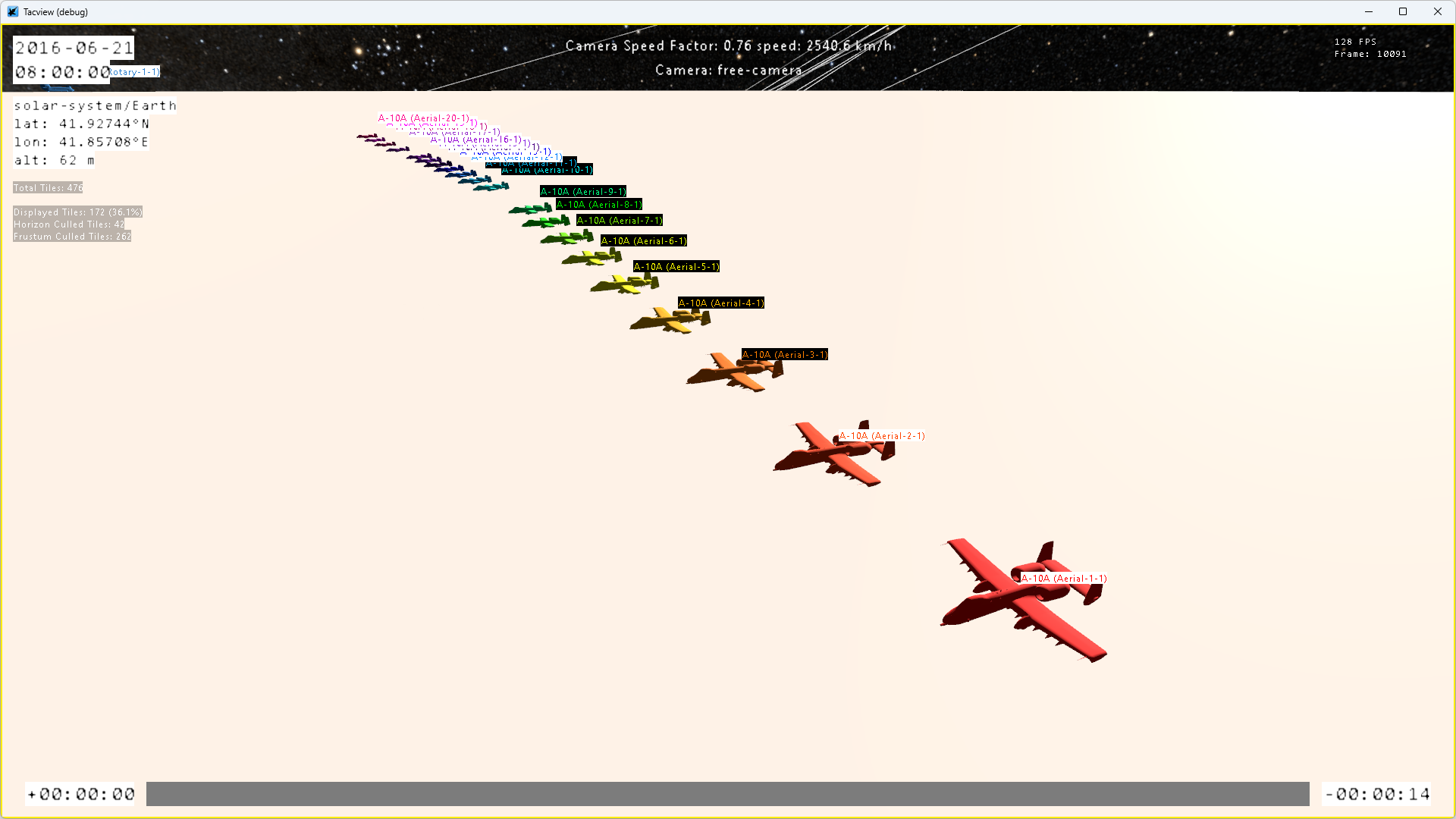
Tacview uses a large property database to determine how units should be displayed, including their shapes, labels, colors, and engagement ranges. This system has been heavily refactored in Tacview 2 to make it both more powerful and easier to customize.
Addons can now modify unit rendering in much greater detail, including custom colors, textures, and visual behaviors tailored to your own needs.
Performance and rendering
Breaking the Sound Barrier
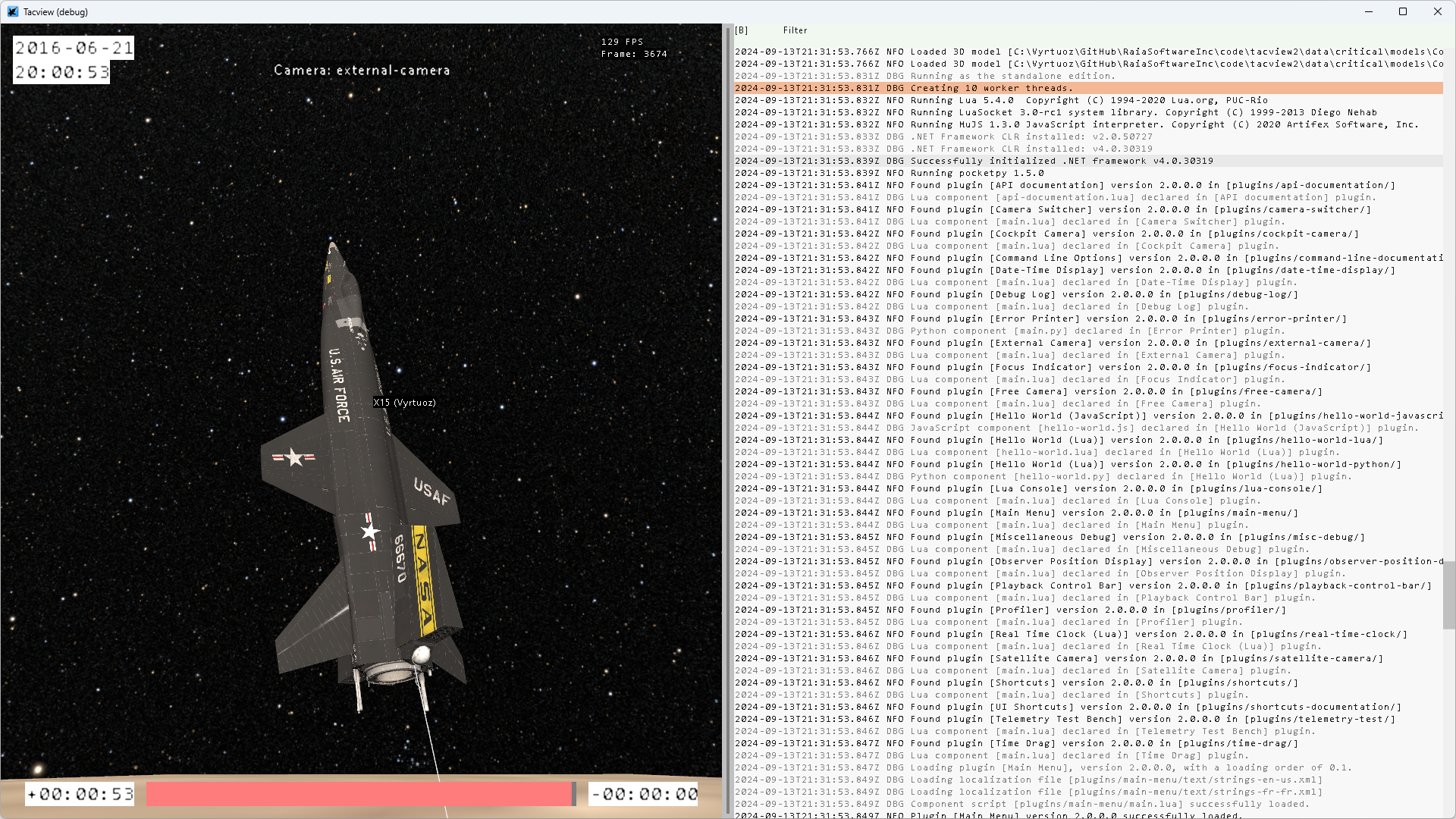
I was never fully satisfied with the performance of Tacview 1. It was built on OpenGL 1.4, without shaders, and remained mostly single threaded aside from background loading and networking. Over time, this created clear limitations.
Terrain updates and object trails were among the biggest performance bottlenecks in Tacview 1. Reducing trail length could noticeably improve frame rate in large recordings.
The engine is a complete overhaul, designed around multithreading and modern GPU rendering with Vulkan. The goal is simple: smooth debriefing, high visual detail, and responsive interaction, even in very large battlefields.
The goal is for the application to remain smooth at maximum graphical settings, even in debug builds. This should naturally translate into excellent performance in optimized release builds, including on lower power laptops with integrated GPUs.
A Whole New Ground Game
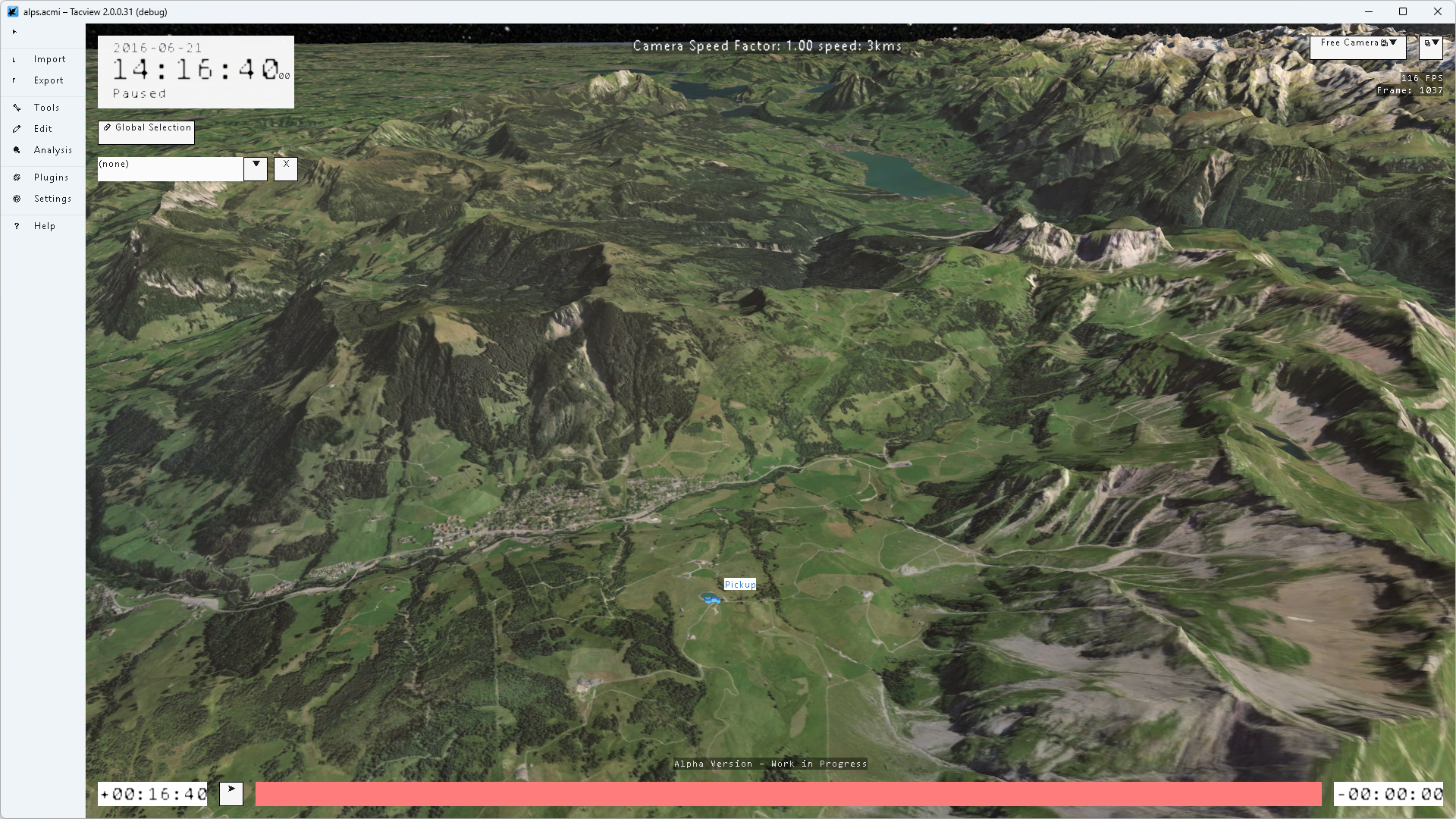
In Tacview 1, terrain rendering relied heavily on the CPU and consumed a significant amount of memory. This limited both visual detail and performance.
The new terrain engine moves most terrain processing to the GPU, reducing memory usage while allowing for more detailed textures, smoother transitions, and much larger terrain datasets.
It can combine multiple texture layers at different resolutions depending on the zoom level, similarly to modern online map systems such as OpenStreetMap or Google Maps.
Built for Clarity
The new renderer is designed to improve realism without sacrificing readability. While it supports modern rendering techniques such as PBR (Physically Based Rendering), the focus remains on clear and efficient battlefield visualization.
Aircraft, missiles, ground units, labels, and terrain must remain easy to interpret during a debriefing, whether you are reviewing a small training flight or a large combat operation.
The renderer also supports more advanced 3D model features than before, including textures, lighting, and surface details. This makes it easier to integrate custom models and visual styles, including more photorealistic environments when desired.
Data and accuracy
Making Sense of the Data
To validate the largely rewritten telemetry engine, I needed complex and realistic data. The best way to achieve this was by supporting the existing ACMI format from the beginning.
This means the new engine can already load recordings produced by the Tacview 1.9.5 exporter. While some features are still being implemented, this compatibility has already proven invaluable for testing and has helped build a telemetry engine that is more accurate, more flexible, and significantly faster than before.
You can now chart virtually any telemetry value, instead of being limited to predefined parameters. If a value is not automatically recognized, you can manually define its unit and adjust the display settings to get meaningful charts and visualizations.
Our Planet: Less of a Sphere, More of a Potato
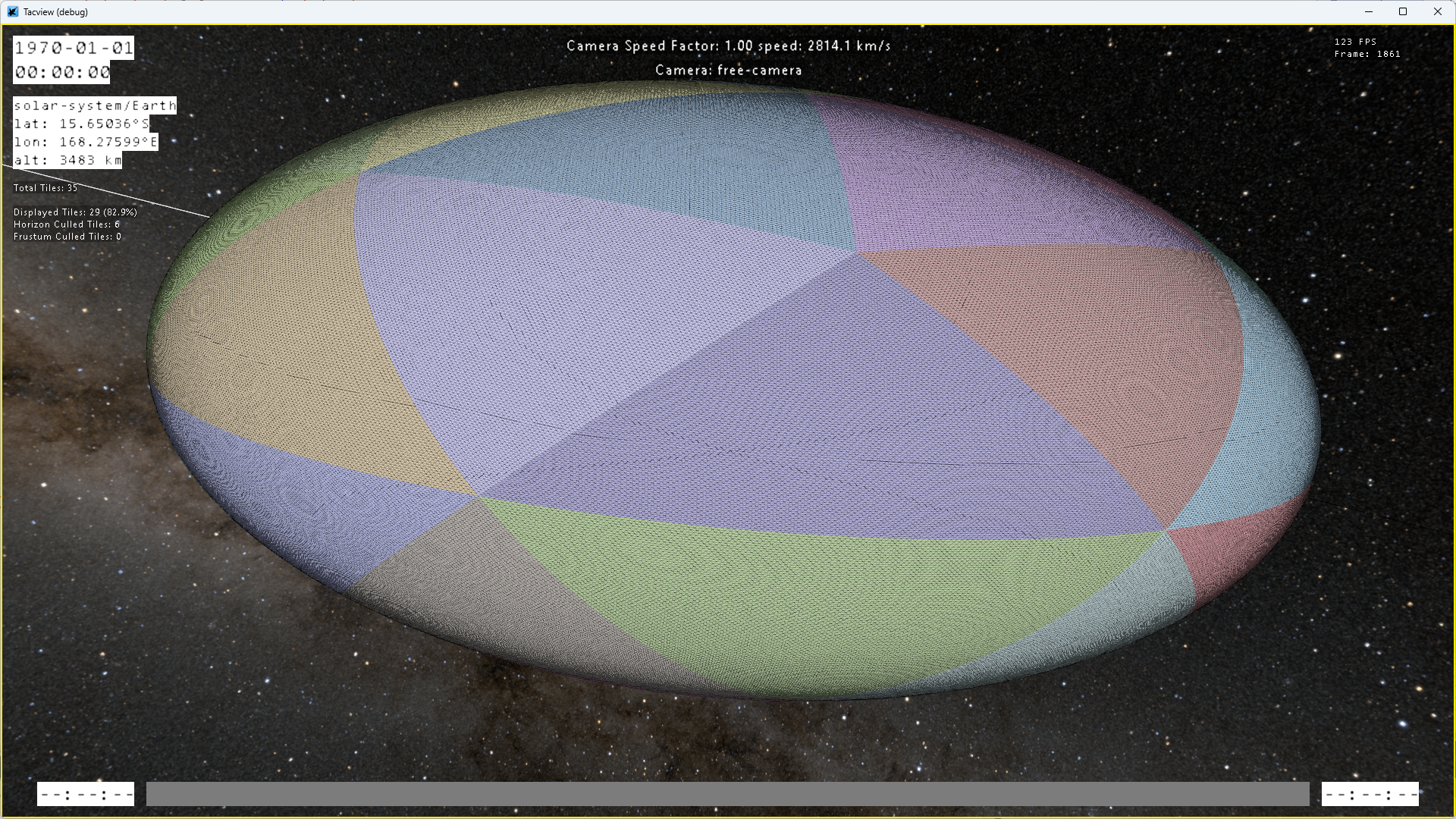
Tacview has always supported a spherical Earth model, but in reality the Earth is slightly flattened and irregular. To improve accuracy, the new terrain engine now supports oblate spheroid shapes, allowing for more precise distance and speed calculations.
By default, the system uses WGS84 parameters, while still allowing custom configurations when needed.
The Shortest Path Is Not a Straight Line
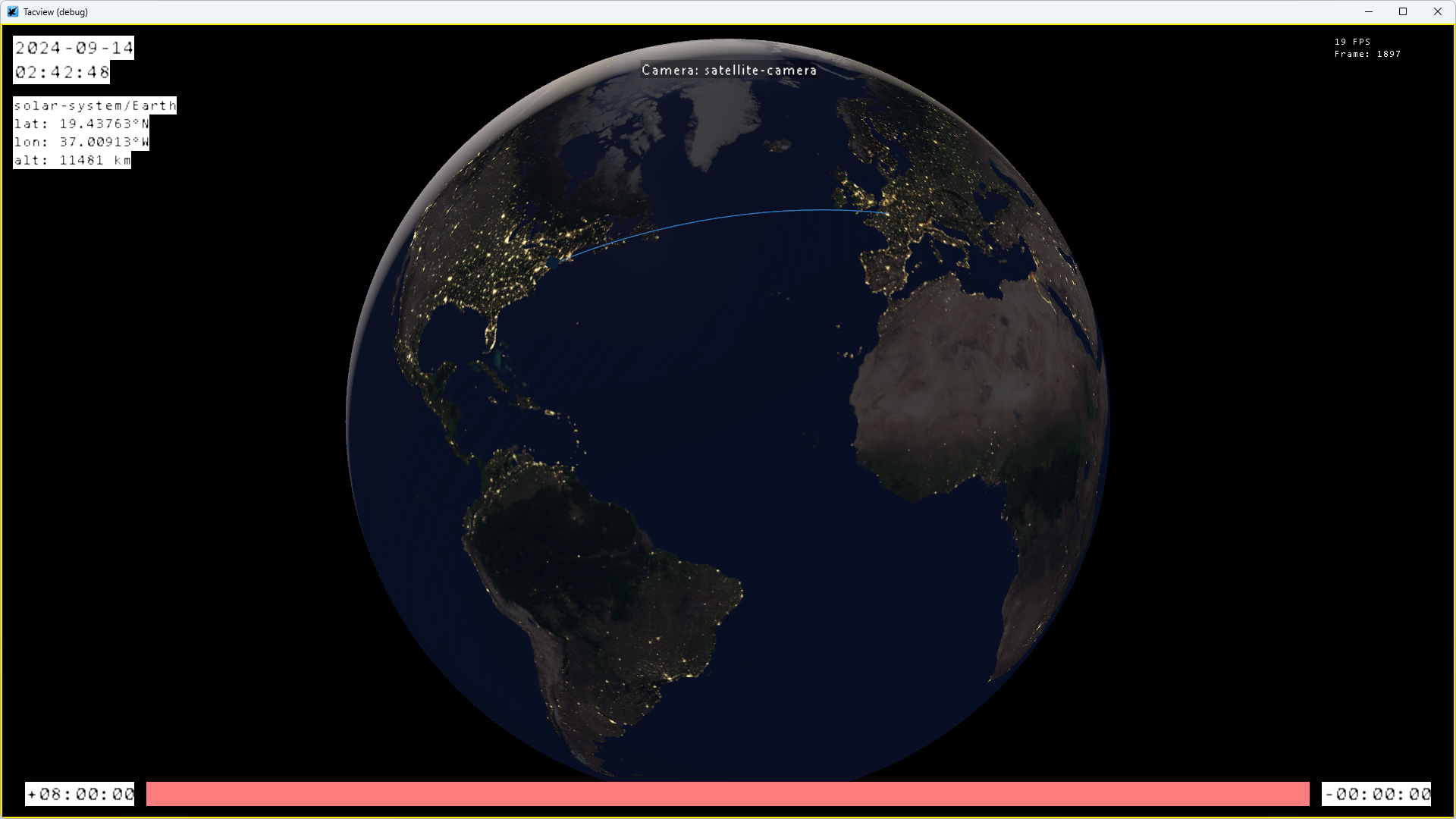
Tacview 1.5 introduced improved trajectories using spherical interpolation. In reality, however, the shortest path on a planet is called a great circle, and calculating it accurately is more computationally demanding.
The new trajectory engine can now display proper great circle paths between any two points, whether it is a short flight or a long haul route such as Paris LFPG to New York KJFK.
Platforms and compatibility
Built for Multiple Platforms
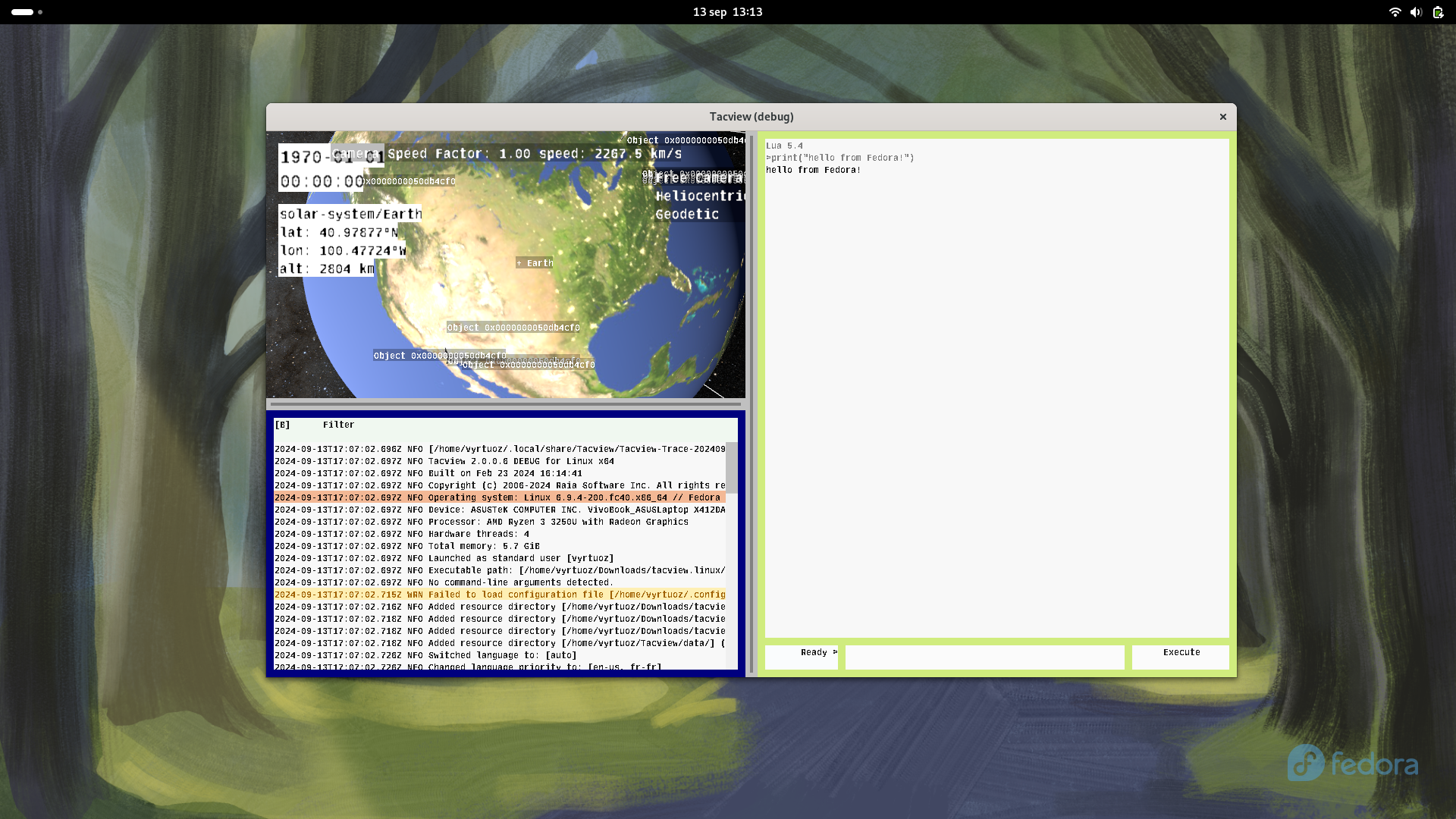
The new engine was designed from the beginning to support multiple platforms instead of being tied to a single operating system. Linux support is already part of the regular development process.
This work also prepares the ground for future versions on macOS, tablets, and smartphones, without requiring a complete rewrite each time a new platform is introduced.
The goal is to make the experience feel familiar and consistent no matter where the application is running.
Good News: Your License Still Works
If you already own a Tacview 1 license, it will remain compatible with the desktop editions of the new application on Windows, Linux, and macOS. Existing users will continue to benefit from the same advanced features, along with improved ergonomics, performance, and visual quality.
As development continues, additional advanced features may eventually require upgraded licenses. Mobile versions for iOS and Android will also use separate licenses due to the additional work required and the different app store ecosystems involved.
Large Scale Online Debriefing
Improvements Inspired by Community Feedback

Many improvements in the new engine are inspired by feedback from large online communities and multiplayer debriefings. The following features are currently planned:
- You will be able to quickly find any player using a filter in the object selection menu. The system will also attempt to track the same player across multiple respawns during an online session.
- Label decluttering has been significantly improved for large missions.
- The Real Time Telemetry connection window will support multiple saved presets, including the Data Recorder address, port, and password.
- When the well known 10 minute delay is enabled, it will be possible to disconnect from the server and review the recording later instead of remaining connected during the delay period.
Development status
Current Focus
The current focus is to make the first alpha version useful for real debriefing, not just internal testing. The goal is a stable foundation with the essential tools needed to open a recording, explore the battlefield, select objects, follow events, and understand what happened.
Core rendering is already working well, including units, threat ranges, trails, bullets in motion, and object selection. Camera control and general interaction are also being refined to make navigation feel smooth and natural, even in large battlefields.
Some visual elements, such as final terrain textures and elevation data, will continue to improve over time. For now, the priority is stability, usability, and the overall debriefing experience.
Testing Phases
The current version is a very small closed alpha distributed through Steam keys to a limited group of testers. At this stage, the focus is mainly on compatibility, stability, core debriefing tools, and general ergonomics.
Once the foundation is stable enough, testing will expand to a much larger closed alpha on Steam with a broader audience. This phase will help validate larger scale usage and more advanced features such as real time telemetry, multiplayer workflows, and support for additional simulators such as Command Modern Operations.
When the application reaches a stable and genuinely usable state for everyday debriefing, development will move into a public beta accessible to paid users. This phase will focus on progressively restoring and extending the remaining features through addons while continuing to refine the interface, workflows, and overall experience.
Long Term Goal
The long term goal is for the first stable release to reach feature parity with Tacview 1 while also bringing the benefits of the new engine, including improved performance, rendering, modularity, and future expandability.
Tacview 2 remains a long term project built step by step with stability and usability in mind. Instead of rushing toward arbitrary deadlines, the focus is on building a solid foundation that can continue to evolve for many years.